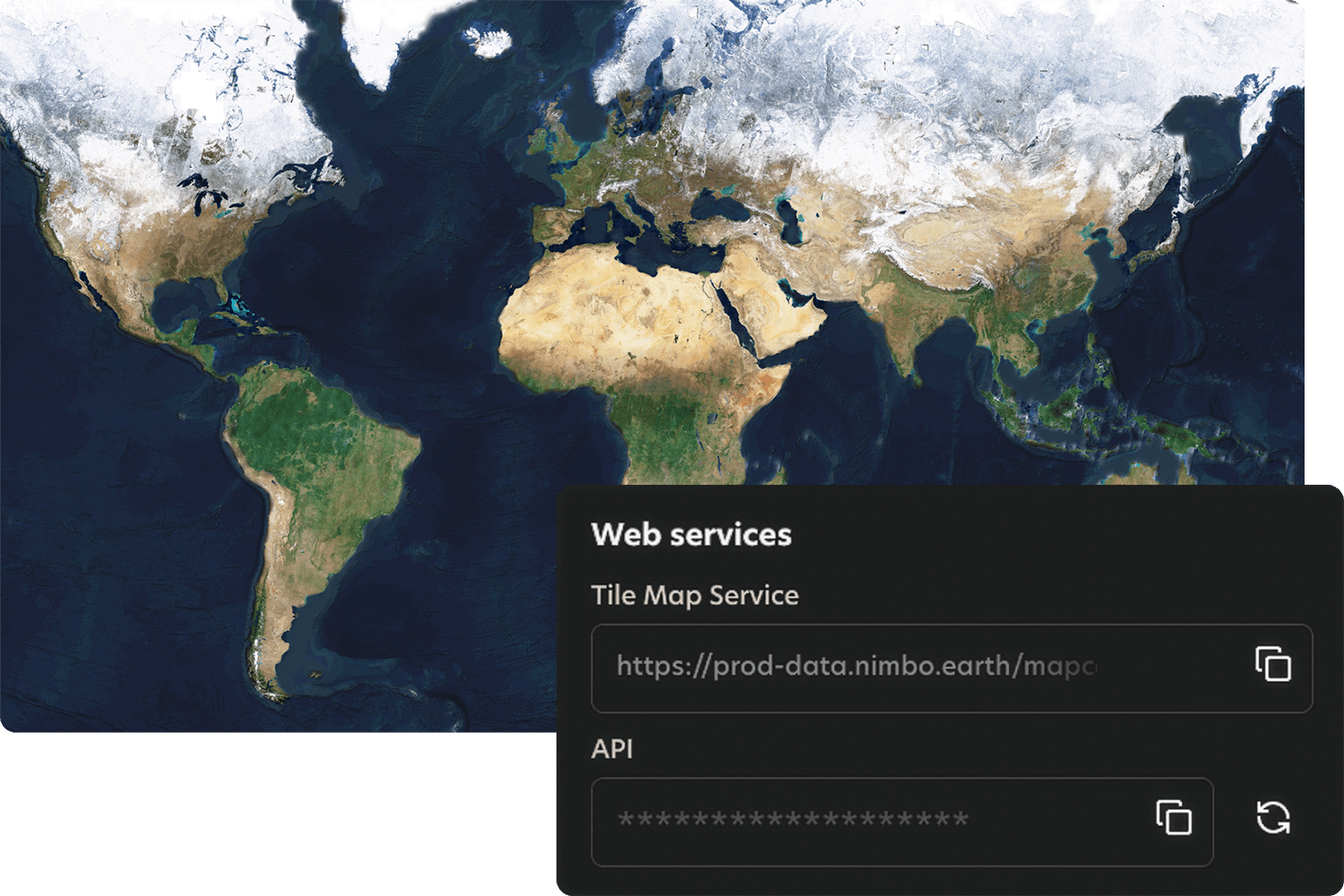


Story‑ready satellite basemaps for documentaries
Get clean, coherent, cloud‑free visuals worldwide with HD close‑ups and terrain for cinematic flyovers. Go from story tip to broadcast‑grade maps and before/after sequences in hours, without a GIS team

Who is it for
Built for documentaries
Deliver clean, coherent, cloud‑free basemaps + terrain that stay globally consistent, so your maps and before/after evidence shots hold up in the edit and under editorial scrutiny
Documentary producers and Data journalists
You deliver a few productions per year for broadcasters, streaming platforms, and digital editorial outlets, and satellite imagery is a core visual asset.

Turn satellite data into story-ready visuals and map layers that can be published with confidence
The problem
Where documentary maps fall apart
Visual inconsistencies, time-consuming cleanup, and fragile workflows that slow storytelling and weaken credibility on screen.

Inconsistent imagery
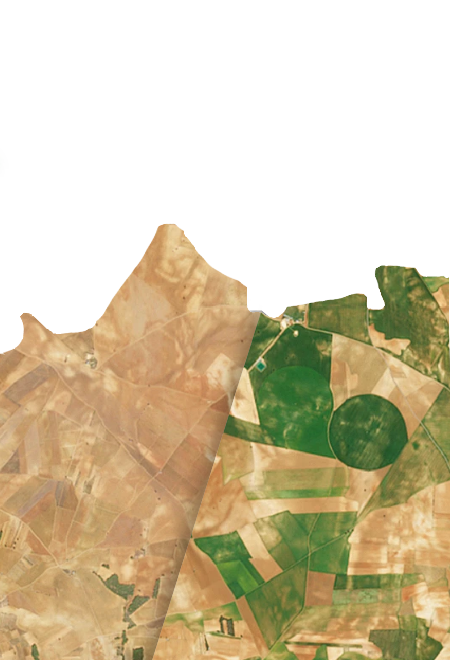
Cloud artefacts, tile seams, and shifting colour grading break the illusion on screen

Heavy before/after workflows
Dates, masks, and mosaics require complex handling, making repeatable “from space” comparisons hard without geospatial support

Fragmented global coverage
Constantly changing locations create the need for new, fragile pipelines for every story

Publishing pressure
Data must feel credible, and the licensing framework must not become a last-minute blocker
The consequence : You lose days or weeks to geospatial prep, and the most compelling evidence shots get downgraded, delayed, or cut.
The solution
One coherent visual stack, built for broadcast
Nimbo delivers consistent, cloud‑free, worldwide and monthly-updated basemaps , plus optional HD imagery and terrain. Use them as the visual backbone for maps, animations, and cinematic sequences.


Key benefits
Why broadcast teams choose Nimbo

Fast story‑ready visuals

Continuity that holds up in the edit

Stronger “proof shots”

Less dependence on specialist bandwidth

One stack for context + close‑ups + 3D

Always up-to-date, no mismatches
How it works
Quick integration, smooth workflows
Nimbo connects easily to existing platforms through standard TMS and WMTS services, making integration quick and smooth. Add the service, set your preferences, and your basemaps are ready to stream inside your tools.